How do I… Install and configure Windows Server Core?

  • 175506.jpg

    By Steven Warren<br /><br />Install Windows Server 2008 Server Core

    This gallery is also available as a TechRepublic blog post and download.

    With the imminent launch of Microsoft Windows Server 2008 coming on February 27, 2008, I want to show you a feature I am fond of in this new operating system. With Windows Server 2008, you have the option of performing a Windows Server Core installation, which provides you with the minimum set of tools to run Windows.

    You are provided with a kernel and a command line to manage the server. It is slim and bare bones and allows you to configure Windows concisely. This type of installation is perfect for a datacenter. I am really excited about this feature.

    Installation
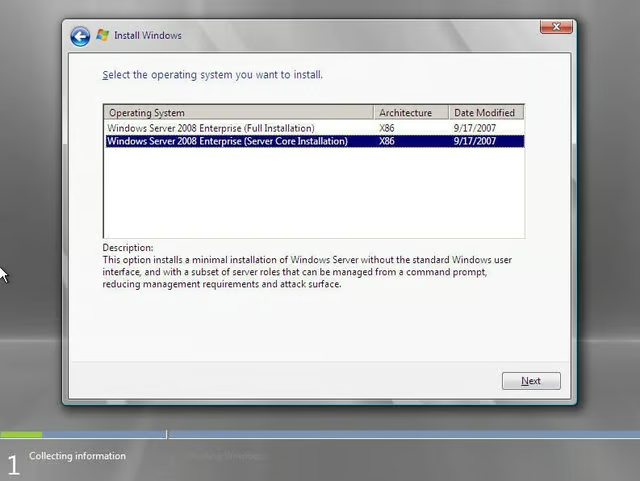
    When you first run through the installation of Windows Server 2008, you have two options for installation. They are:

    • Windows Server 2008 Enterprise (Full Installation)
    • Windows Server 2008 Enterprise (Server Core Installation)

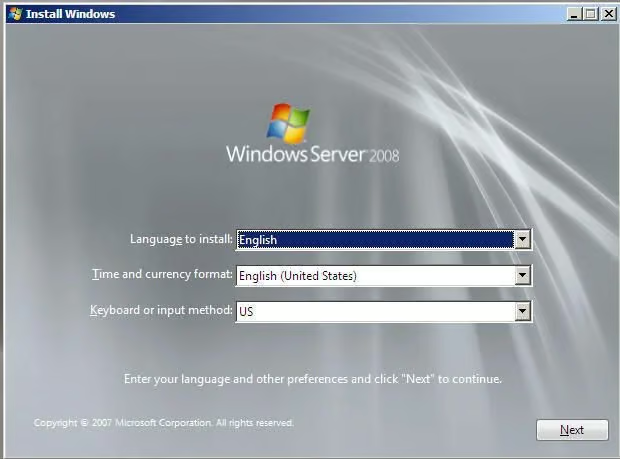
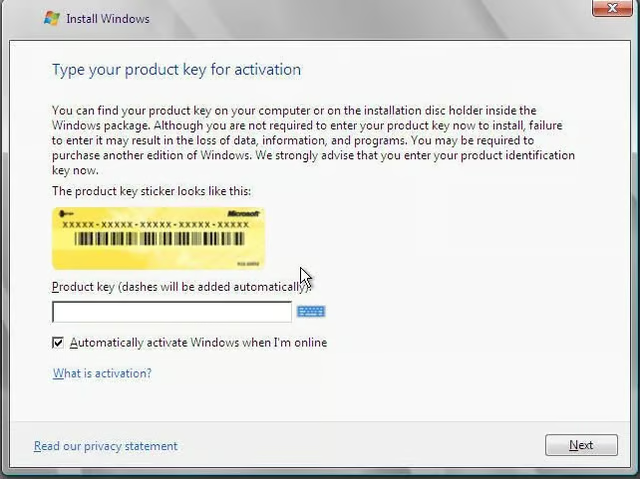
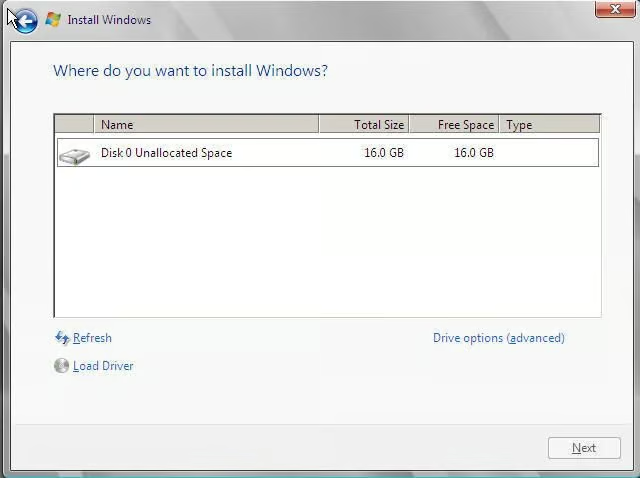
    The following eight screen shots walk you through the installation of Windows Server Core which took approximately ten minutes to install.

  • Install Windows Server 2008 Server Core

  • Install Windows Server 2008 Server Core

  • Install Windows Server 2008 Server Core

  • login.jpg

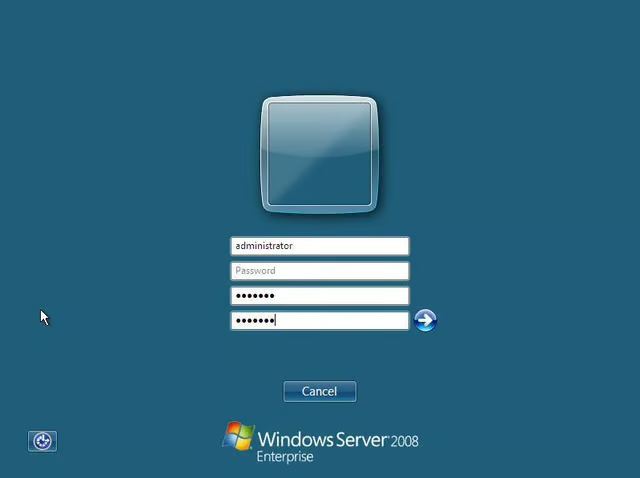
    Login

    You are required to change the password and set an Administrator password on initial login.

    Image: Raspberry Pi Foundation
1 of 5
Steven S. Warren

Steven S. Warren lives in sunny Florida. His articles and blogs have appeared on websites such as CIO Update, DevX, TechRepublic, SearchTechTarget, Datamation and DatabaseJournal. With more than 15 years of experience writing about…